

Subscribe to Blog
Email Address
 
Search for MAc returned 130 results.
Pages:(13) 1 2 3 4 5 6 7 [8] 9 10 11 12 13

Lessson 3: CNC Canned Cycles, Drilling, Tapping, Reaming and Boring Cycles

September 20, 2015, 2:49 pm by Eldar Gerfanov (Admin)

Canned cycles are used every time we need to drill, ream or tap holes on our CNC machine

Standard Fanuc G-Code language supports more than a dozen canned cycles.

The most common cycles that will cover 99.9% of your g-Code CNC programming work are:

G-Code Name Motion Style
G81 Standard Drilling Feed-In, Rapid-Out
G83 Deep Hole Peck Drilling Incremental Feed-In by Peck Distance, Rapid Out, Repeat
G84 Right Hand Tapping Feed-In,Reverse Spindle, Feed-Out
G85 Reaming/Boring Feed-In, Feed Out

Subsequent holes

You can drill additional holes After your canned cycle has been initiated.
Any line with X Y position will be treated as another hole position.

Each position can have its own Retract value, feed rate and retract height modifier.

G80 - Canned Cycle Cancel Code

After all the holes of the canned cycle have been drilled, it is required to call G80 code in order to cancel the current cycle.
Read More 

Key factors Determining Success of High Speed Machining (HSM)

September 12, 2015, 7:29 pm by Eldar Gerfanov (Admin)

As a developer of a very successful line of speed and feed calculators I sometimes get questions like : "I calculated speeds and feeds for a conventional toolpath. Got 5.5 cubic inches MRR(Material Removal Rate). And then I calculated S&F for the same endmill with HSM parameters turned on and got almost the same amount of  MRR! What is even the point in using HSM parameters?" -they ask.

I would like to clear some things up for my friends.
In this article I will explain exactly WHY HSM machining is better and HOW to achieve better productivity and tool life.

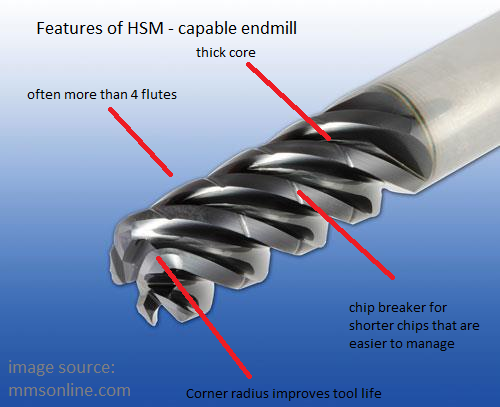
For starters here are the main features of a HSM-capable cutter:

As usual there are several components of HSM that need to be present in order for it to work to its fullest. These are:

a) Machine
b) Tool
c) Workpiece geometry
d) Workpiece material

I intentionally did not number these as each one of those is equally important.

Read More 

HSMAdvisor v1.181

September 7, 2015, 4:09 pm by Eldar Gerfanov (Admin)

Major Machine Profiles Updates in This release:

  • Added HSMAdvisor Cloud Services that allow users to Download and Upload their Machine Profiles.
    You can now access your Machine Profiles from everywhere!
    Users can also download each-other's Machine Profiles, uploaded as public.
  • Machine Power Curve Estimation wizard to help users map their Spindle Power Curve
  • Right-Click mouse click on selected rows launches a pop-up menu, that allows to insert and delete rows from the Power Curve table

Workholding: Soft jaws in Vise

August 24, 2015, 6:01 pm by Eldar Gerfanov (Admin)

One of the most versatile ways of clamping irregular -shaped parts is with use of soft jaws.

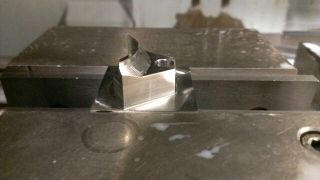
In this one I had to machine a triangular-shaped part from two sides.

It is going to be some sort of a part holding jaw for a robot.

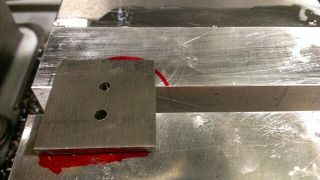
So step one: Machine one side of the part in vise. hold on to 1/8" of stock. So make sure to cut your part on a bandsaw oversize.

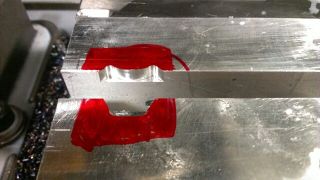
Step Two: Bolt soft jaws to your vise and machine a pocket using outside contour of your part.

Be sure to relieve corners.

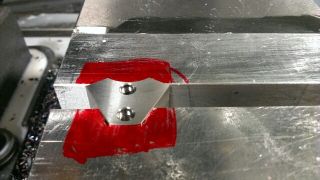
Step three: Clamp your part in the soft jaws and machine the second side of your part.

One important thing to consider is: this method is not very accurate. depending on the size and a shape of your part you may be able to hold it within 0.001" though.

See attached photos of the steps below.

1. Machine one side 14402581166020.jpg 2. Machine pocket in soft jaws 14402581369241.jpg 3. Clamp the part 14402581523902.jpg 4. Machine the second side 14402581647543.jpg

Expandable mandrel fixturing

August 18, 2015, 11:55 pm by Eldar Gerfanov (Admin)

Recently I had to machine a few pieces after turning.

Because the very top of the part was supposed to be machined off, I could not clamp through the central hole like I often do.

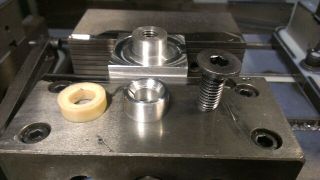
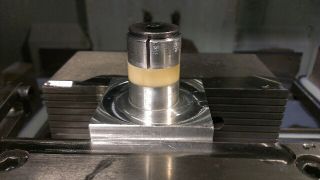
Decided to quickly turn an expandable washer out of aluminum and a plastic spacer that would collapse a little bit under clamping pressure and allow the part to sit firmly against the base of the fixture.

I liked this method so much I am going to do the same next time I have similar part to make.

See pics below.

Later on i will try to post some more pictures of other setups I did.

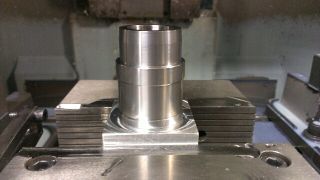
All the pieces apart 14399592931550.jpg Fixture, spacer, expandable washer, FH screw 14399593065781.jpg Workpiece mounted on 14399593164262.jpg

A customer shares his video of HSM machining

July 15, 2015, 8:45 pm by Eldar Gerfanov (Admin)

It is no secret that i am trying to make my software fit the broadest possible group of people.
And while my much-respected hobby customers is a big deal for me, industrial machining is where HSMAdvisor really shines.

Recently a PracticalMachinist forum member Atomkinder posted a video of him machining something on his 1997 Fadal VMC.
Here is what he had to say:

Quote:

Quote Originally Posted by Mtndew View Post
One thing that I just thought of, you may want to look at buying the HSM advisor ($50) for your high speed toolpaths. Doesn't even have to be high speed, but toolpaths with long engagement and small stepover are proven to run a LOT faster than hogging out the conventional way that's been done forever.
Advanced CNC Speed And Feed Calculator - HSMAdvisorQuote

I use it daily, and I can't think of a time it's let me down.
I second HSMAdvisor. I own my own seat (work doesn't have one) because I like it that much.

This isn't particularly special, but it is a 1997 Fadal VMC2216 box way machine. Removed a whole tool and something like 40% of the cycle time from the second operation of this part.


Atomkinder

And here is the link to the video: https://www.youtube.com/watch?v=vHN5z4EKODQ

40% of the cycle time. Aint bad, is it?

In industrial settings, with such great savings HSMAdvisor may very well pay for itself within a day or less!

HSMAdvisor v1.146 released

March 29, 2015, 9:08 pm by Eldar Gerfanov (Admin)

We have one major feature in this release and a lot of small improvements:

Starting form this update every HSMAdvisor installer and executable file will be digitally signed.
This will keep both your IT guy and your Antivirus Program happy.

I made a decision to invest into signing my executables because users were complaining about AV programs like Norton shutting down my software.

You can download the latest version in our downloads section


What's New:

  • Digital signing added to the executable files
  • Maximum Tapping RPM added to the Machine Definition dialog to recognize the fact that tapping speed is often a lot smaller than the maximum spindle speed available on most machines.

Improvements:

  • Major work is being done to translate HSMAdvisor to other languages
  • Typos fixed all over the place
  • Machine Definition dialog functions improved
  • Thread Milling tool type now includes DOC and WOC fields
  • Cutting speeds for several materials have been adjusted
  • Fixed condition where restoring the window in "Narrow" mode would cause controls to disappear until Maximize button was pressed
  • Tool drop-down box now better scales and crops extra-long values to make room for all columns

First FSWizard video!

January 17, 2015, 4:43 pm by Eldar Gerfanov (Admin)

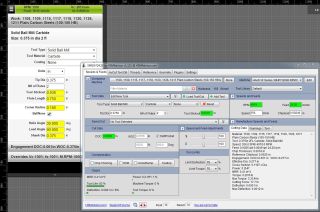
I have just uploaded my first FSWizard CNC MAchinists Speed and Feed Calculator video tutorial.

This is a quick walk through the basic functionality when using milling tools.

Please excuse my tired voice and occasional stuttering. This was my 9th take- every time either my computer crashed or i was interrupted by my kids running around and causing mess.

I am planning to release more videos. So please let me know what other topics i need to cover.

Thank You!

January 1, 2015, 4:51 pm by Eldar Gerfanov (Admin)

I would like to thank everyone who has helped with the development of our software by investing your time and money, making suggestions, reporting bugs, recommending our software on various professional online message boards and to your colleagues.

Every bit of money I charge for our software goes back to development.

Unlike most other software developers, who often hold back on features to not allow their products to compete with each-other, every useful feature available on mobile FSWizard goes to the desktop-based HSMAdvisor and vise-versa. Even if it ends up hurting overall sales.

I was the first developer who was able to bring a speed and feed calculator as complex as FSWizard to the mobile platform and I have just uploaded another update to FSWizard Mobile app, that makes it even more powerful. Almost as powerful in fact as HSMAdvisor.

Why bother? Why create a competing product that does almost as much, but costs almost 3 times cheaper?

Because I know that most of our mobile users are not only unable to buy a more expensive desktop product, but they are also often younger, less experienced and hold machinist positions without access to desktop computers.

These users deserve every help they need to grow skills and their careers.

And when they grow to be CNC Programmers and get to sit in the office, they would need something more convenient and more powerful.

I hope they then remember that the same guy who develops FSWizard:Mobile also develops an even cooler desktop application called HSMAdvisor, that will certainly help keep their bosses even happier than before!

Once again, thank you, guys. Please have a Safe and Prosperous New Year.


Here is the list of recent changes to FWizard:Mobile v1.38

Read More 

oirijoiuhiunheurinhviu.JPG oirijoiuhiunheurinhviu.JPG

HSMAdvisor Status Update

December 23, 2014, 6:09 pm by Eldar Gerfanov (Admin)

First of all Merry Christmas and a Happy New Year !

There has been a spur in development in the last couple of weeks.
Mainly due to the fact that i took a vacation from my day job.

I also used this time to pay a visit to some businesses operating in the area to get some feedback on my software, hear out their needs and desires.

I have not been able to post about the latest updates, so let's summarize what we have at this moment in the latest v1.110 update

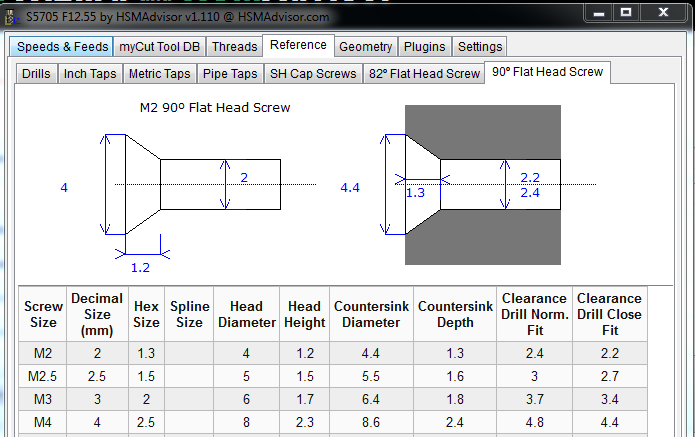
  • New 90 Degree metric Flat Head screw reference tool
  • Ability to use comma sign instead of dot as a decimal point.
    HSMAdvisor will still convert comma to dot, but now it treats input properly
    This was done to accommodate users whose language settings use comma on their numpad
  • Fixed scaling for all DPI types.
  • Added a bunch of materials like Machinable Wax, Plywood, some Steels etc.
  • Improved and made more predictable loading of tools and cuts from the database
  • Made improvements to Machine definition window.

Most of the work has been finished on the CAM integration feature.
If any of you, my users, feel like you want the FREE integration with their favorite CAM, please nag your CAM support and/or sales desk!!

........

........

Now did I mention I plan on NOT changing a dime for the integration feature?

If not, then let me repeat it again.

CAM Integration feature will come at no price for my users!

So if i were you, i would file support tickets (make some phone calls, write letters) to your CAM providers and ask them to consider enabling their software to speak with mine.

My contact details can be found here: http://hsmadvisor.com/index.php?page=help&shell_id=241&article_id=4426

Have a nice New Year!

Pages:(13) 1 2 3 4 5 6 7 [8] 9 10 11 12 13
Sing In

© 2009-2022 Eldar Gerfanov. All Rights Reserved.
© 2009 Eldar Gerfanov. Materials on this site are presented as is and are mostly for educational use.

You may freely reproduce information presented herein without any consent from me, provided you include link to this site.
In case when i am not the copyright holder, you may want to contact proper owner of material. Anyway, they are freely available on the Internet.
If you hold the copyright right for any of the materials on this site and want them removed, please contact me here