

Subscribe to Blog
Email Address
 
Search for feedback returned 45 results.

HSMAdvisor 1.535 Release Candiadate!

November 5, 2018, 7:44 am by Eldar Gerfanov (Admin)

Phew!
That was more work than I thought!

I have decided to upload the new HSMAdvisor Release Candidate here.

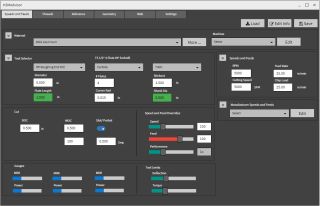
Please check out the attached screenshot:
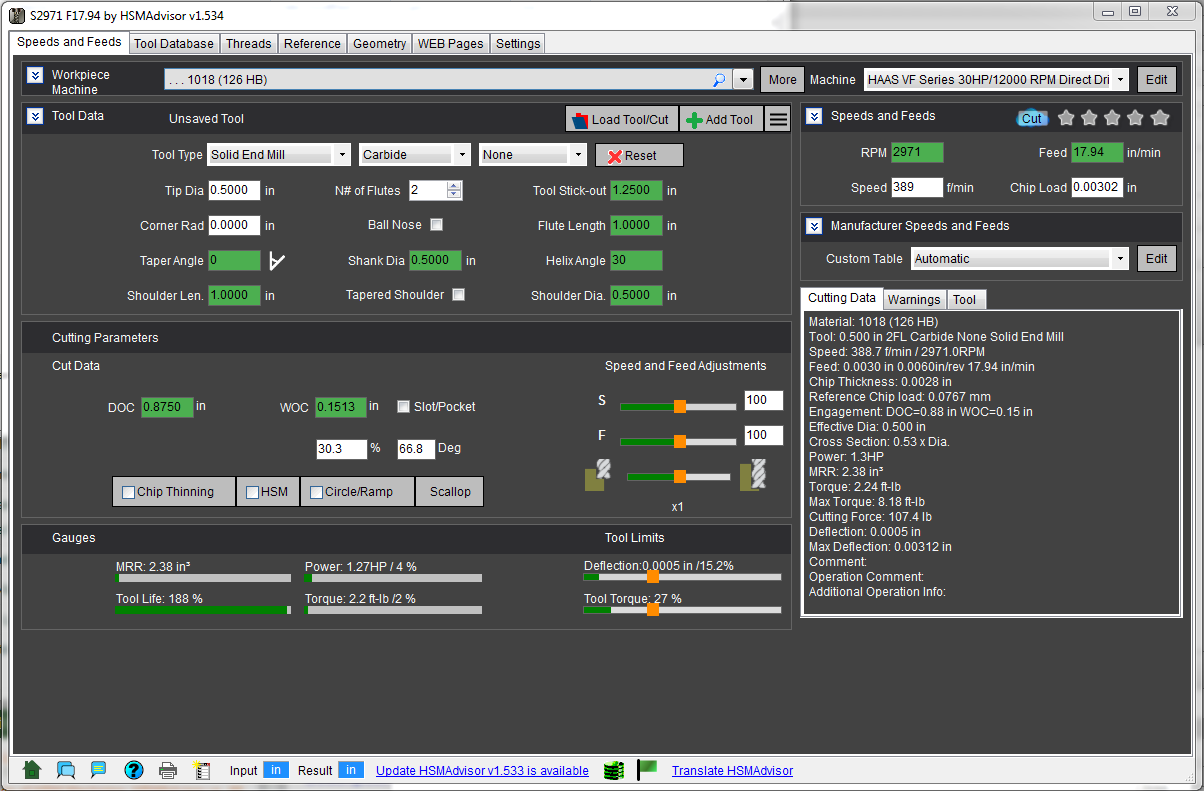
Dark is the default sceme. But you can switch to the "Light" scheme in settings by uncehcking "Use Dark Theme":
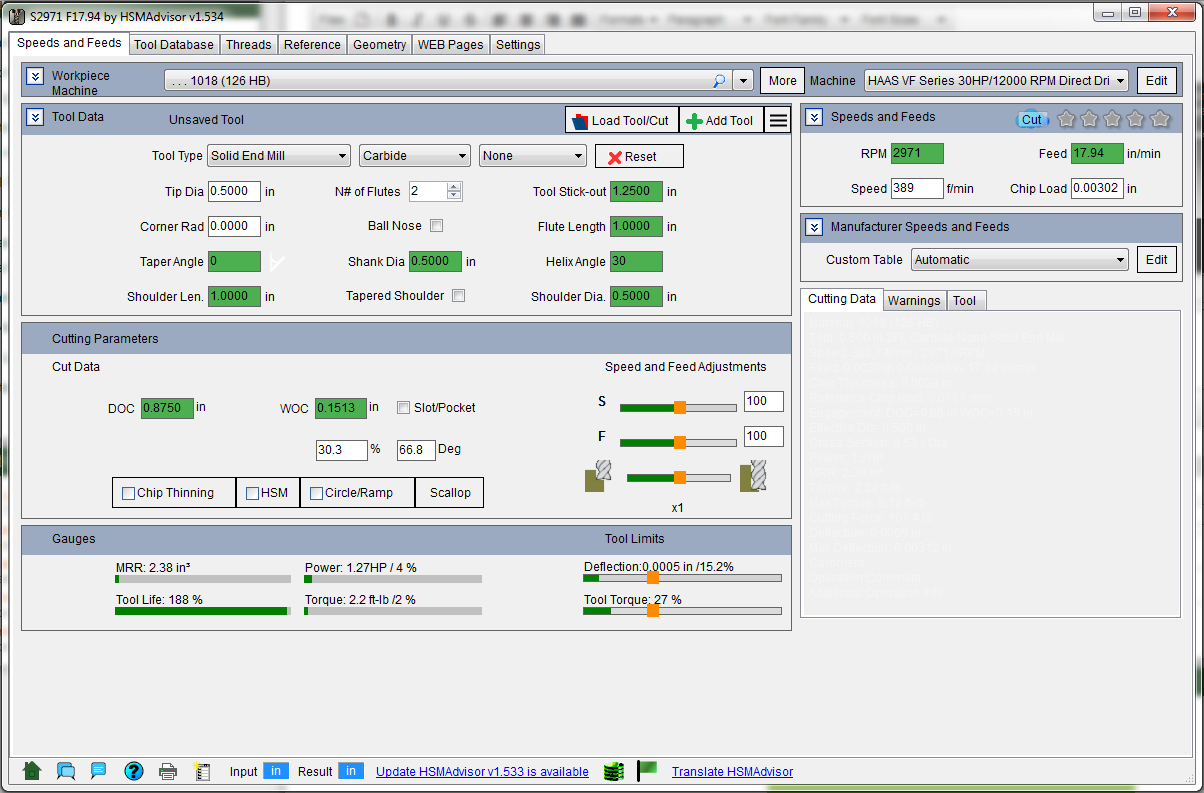
I still have to do some work to the "Light" theme to make things more visually appealing, but i think i did a lot of work with simplification of the UI.

Please find the download link below as this update is not yet available (and will not be) as an official HSMAdvisor release.

Also if you have nay feedback (good or bad) please Contact me!
HSMAdvisor Design Changes

September 27, 2018, 8:18 pm by Eldar Gerfanov (Admin)

IF you were wondering if i had fallen of the face of the earth, here is what i was up to.

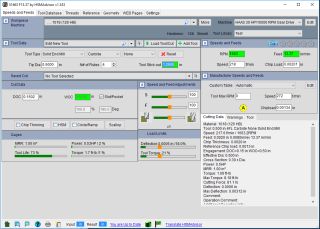
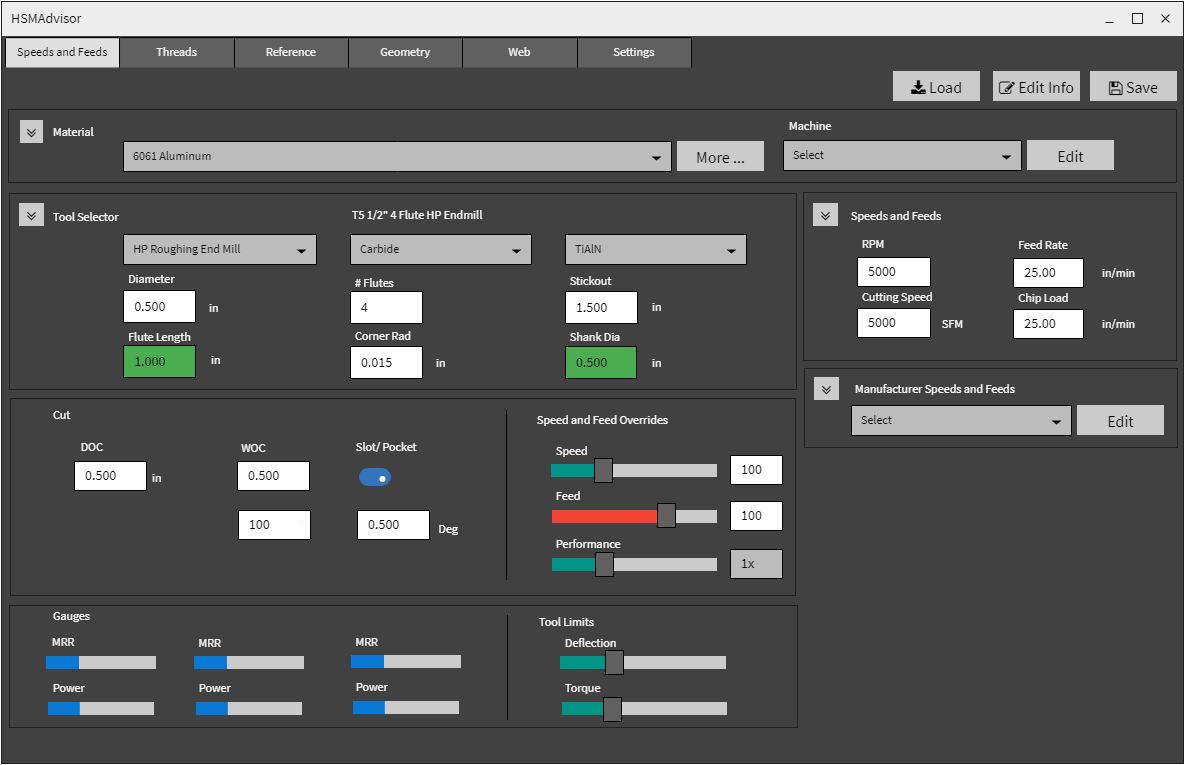
I have been developing a new cleaner look for HSMAdvisor (see the attachment).

First thing you notice is the Dark background color. I plan to make that the new default background.

The color theme will be configurable to appeal to those who want to stay on the light side.

Label positioning will change to above the input fields, because it seems to make it easier on the eyes to associate the label and the field.

The Tool and Cut drop-downs will be removed along with the "menu" buttons on the right of them. Tool and Cut selection will be moved to "Load Tool/Cut" buttons.
I believe the Load Tool/Cut dialog to be the better option.

Tool Limits and Speed and Feed Overrides expandable panels will be merged with Gauges and Cut Data panels respectively.
This will further lighten up the interface.

Soon I will publish a test version for our users to try out before i make it an official update.

Do you have any feedback on the changes I am making?
Make it known, because it is supposed to be done for your convenience!

Best regrards!

New Dark Design Capture_HSMADark.PNG Old Light Theme Capture_HSMAOldLight.PNG

HSMAdvisor v1.531

July 31, 2018, 7:52 pm by Eldar Gerfanov (Admin)

This update marks a major pivot in HSMAdvisor development.

Behind the scenes the groung-work has been laid for tight integration between HSMAdvisor and FSWizard.

Next steps will include sharing of the tool and cut data with the FSWizard mobile app.

Whats new in this HSMAdvisor update:

  • New materials: DME Steel 1, 2,3 & 7 and others.
  • Improved Machine Definitions: Program now does not allow to upload duplicate machines to the cloud: you need to clone your machine first.
  • Fixed issues with acessing CutCloud Fixed labelling and incorrect cut filtering

Thank you, our supporters, for the continuing feedback and support!

HSMAdvisor v1.530 has just been released!

June 28, 2018, 2:30 am by Eldar Gerfanov (Admin)

Please download this critical update.

It fixes the "No Internet Connection" error that was introduced by our service provider changing its configuration and not telling us in advance.

Thank you everybody for feedback and support!

Mayday !

May 1, 2017, 4:35 am by Eldar Gerfanov (Admin)

Well not the bad mayday. It is the good one.

Today is the International Worker's day.

My best wishers go to all machinists and cnc programmers out there.

Keep it safe.

Btw. HSMAdvisor v1.509 has been released just yesterday. It is a big release which has lots of improvements. So we updated the Mastercam x9 and 2017 hooks as well.

Btw2. User's feedback has been plenty and steady recently. Please keep it up!  We really like making HSMAdvisor even better by adding stuff that you actually need!

Cheers!

Uninstall Feedback

March 24, 2017, 1:22 am by Eldar Gerfanov (Admin)

Out of all kinds of feedback forms on HSMAdvisor (we have Forums, User Feedback and Unistall Feedback) web site the only one I dread opening is the "Uninstall Feedback".

When someone uninstalls HSMAdvisor, on the last step the program asks to provide the final feedback to maybe help us make HSMAdvisor better.

I do not like reading this form very much because it means that would-be users left in some way dissatisfied with the program.

And that really breaks my heart!

Among the most common answers is stuff like "does not support metric" even though IT VERY MUCH SUPPORTS METRIC.
We have, without a doubt, one of the most flexible units system of all machining-related software products.
I guess I have to improve in helping people learn how to use many unit switches within the program.

But the one that stood out is this one:

Quote:
Your software is AWESOME. I'm just uninstalling so I can reinstall on another machine. Thanks for making a great product!

Thank you Jeremy! Really made my day!

Just a heads-up.

Another update is coming this weekend.
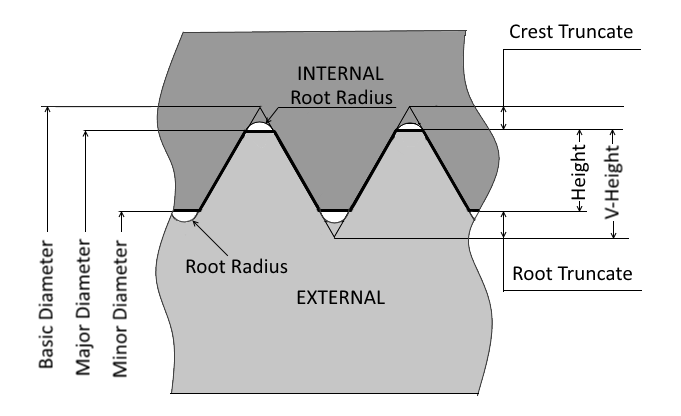
I am adding some materials and this threads specification drawing:

Requested by one of the users, I am sure it will be a big help.

5 Ways HSMAdvisor Uses Internt for the Benefit of Machinists

July 25, 2016, 4:41 am by Eldar Gerfanov (Admin)

This is 21st century and we all live in the age of the Internet.

While some software developers claim to use it for the benefit of the customers they in fact only care about license protection benefits it can provide.

Here is how HSMAdvisor Speed and Feed Calculator uses the big WWW for the benefit of its users:

  1. Tool Database and Cutting Data Sharing
    Not many users realise that simply placing the Tool Data Base file on a shared network drive or service like DropBox or Google Drive will keep their Tool DB in sync on all of their computers running HSMAdvisor.
    Oh, regarding the "running on multiple computers" thing.....
  2. Floating License allows users to run a single seat of HSMAdvisor on multiple computers non concurrently.
    All you need is internet connection! Permanent Licenses do not even need internet connection at all.
  3. Cloud-Hosted Machine Profiles.
    Machine Profiles are important part of out calculator tool. Among other things they allow to prevent machine stalls and resulting machine damage and tool breakage.
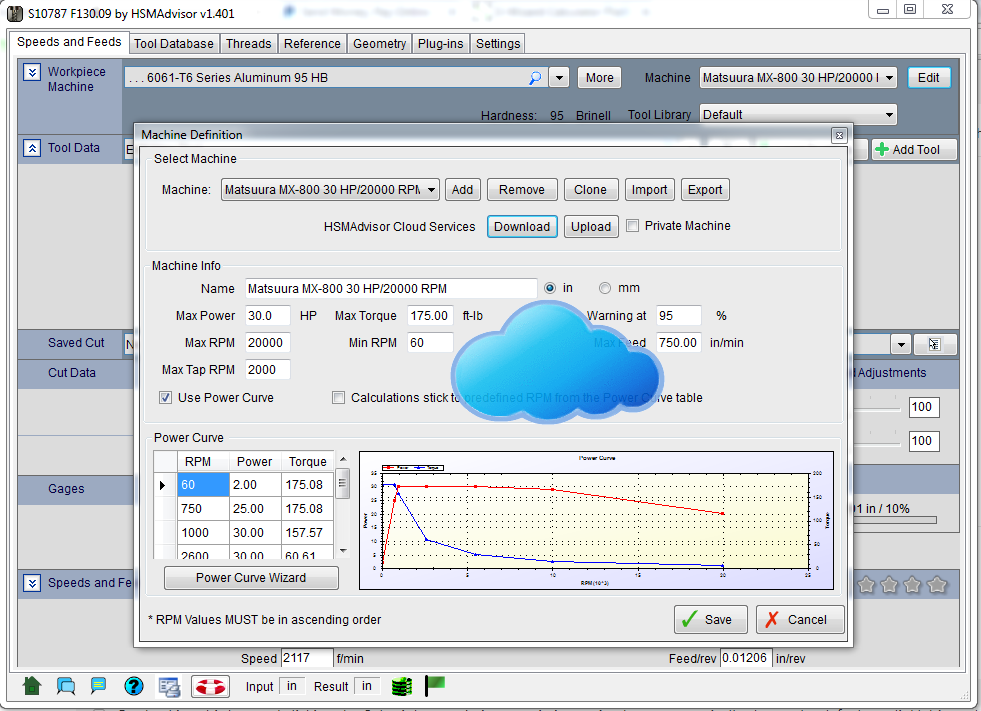
    You can upload your Machine Profiles to HSMAdvisor Cloud for Public or Private access.
    Or you can request a machine profile to be added and I will upload it for you to easily download.
    All within the HSMAdvisor Machine Definition dialog!
  4. Cut Cloud. The place to get other Machinist's experience at your fingertips.
    Another great feature that we are actively developing right now is the Cut Cloud.
    It allows Machinists to share their cutting experience with other HSMAdvisor users.
    It is still in development but shortly we are going to populate out public online library (Cut Cloud) with cutting data from popular tool manufacturers.
    Anyone running HSMAdvisor will be able to just dial in their cutting tool, connect to the Cloud and see how others run their tools in similar cutting conditions on similar machines.
  5. Immediate and Accurate Licensing.
    A few times I got emails from disappointed machinists who were not aware of HSMAdvisor and thus chose a competing software product.
    They all were complaining about misleading Licensing schemes some software developers were using that hindered their work. Things ranged from not being able to register their seats for hours after completing the purchase to having to keep their computers online almost uninterruptedly (despite claims it could run offline for weeks) to keep their software running.
    HSMAdvisor uses transparent Permanent and Floating Licensing scheme that will not leave you hanging.
    All purchases are handled automatically and our new customers do not need to wait for a next business day to get their purchase functioning.
    We constantly work on making your experience as flawless as possible and do not linger on past achievements.

There is a lot more work planned and already in progress.

In the age when everyone is talking about how internet is turning the world around we are doing our small part in making it happen!

Thank you, everybody for your support and feedback!

Rev Up Your Tools - Boost the Productivity!

July 16, 2016, 2:59 am by Eldar Gerfanov (Admin)
HSMA_LongAluminum.PNG

As unhappy I am to learn that something may be wrong with the software I develop and love, negative feedback is essential in learning whether i am doing everything right.

So a couple of days ago I received an email from a somewhat disappointed user. 

He (lets call him Peter) was complaining that HSMAdvisor calculator gave him "excessively high" speeds and feeds for his 3/4" 4 flute 3.0 LOC  end mill in aluminum.

With the data Peter entered he was getting around 10000 RPM(SFPM 2117) and the feed of 270 inches per minute while usual practice in the shop was side-milling aluminum at that (2.8" axial) depth at only 325 SFM

After double-checking the numbers I replied that in fact his numbers seemed very slow and if for some reason he HAD to run that slow (heck, i machine most steels faster than 325 SFM) due to some conditions, perhaps, he was ought to change the conditions themselves.

This is what I am getting for Peter's end mill setup:

Read More 

HSMAdvisor 1.304 Released!

July 5, 2016, 2:53 am by Eldar Gerfanov (Admin)
HSMA1.304.PNG

This update fixes the no-message shutdown when your trial expires!

What else is new and improved in this update:

  • Fixed no-message shutdown upon expiration of the trial.
  • Improved cutting speeds and feeds for milling.
  • Added 416 SS material
  • Added "Insert" check box and input field to treat Tools as if they were inserts.
  • Added internal "Copy/Paste" functionality to quickly populate custom S&F tables.
  • Added icons to the bottom taskbar.
  • Installer now checks which .NET version you are running and offers to download if it is missing.

Below are most of the new features in a nutshell:

Read More 

HSMAdvisor 1.301 Released!

May 28, 2016, 2:31 am by Eldar Gerfanov (Admin)
limits.png

There had not been any updates to HSMAdvisor for several months now.
And there is a very good reason for that.

We have been working hard on a lot of new super-cool features and improving the old functionality.

BTW: This Update Resets the Trial Counter!

Let us cut to the chase.
Here is a list of all the latest changes and improvements:

  • New Cut Cloud controls added (beta only!)
  • New Cast Aluminum materials
  • New combined Tool Torque and Deflection Limit controls
  • New and Improved Tool Display Graphics. Now for Turning too!
  • Lathe Tools now consider Shank size when suggesting chip-load.
  • New Mass Edit - > Set SFM/Feed Overrides command in the Tool Database
  • Improved Tool Deflection calculations
  • Improved and refined a lot of behind-the-scenes stuff

I am going to explain the most important improvements below.

Read More 
Sing In

© 2009-2022 Eldar Gerfanov. All Rights Reserved.
© 2009 Eldar Gerfanov. Materials on this site are presented as is and are mostly for educational use.

You may freely reproduce information presented herein without any consent from me, provided you include link to this site.
In case when i am not the copyright holder, you may want to contact proper owner of material. Anyway, they are freely available on the Internet.
If you hold the copyright right for any of the materials on this site and want them removed, please contact me here